



 Sophie Blake
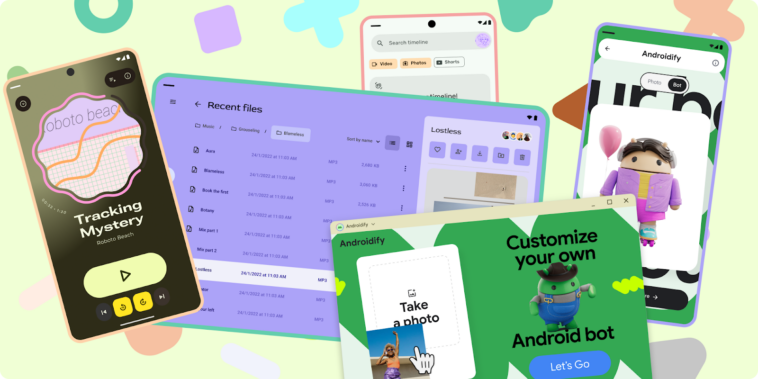
Google has introduced updated design guidance for Android developers, focusing on adapting mobile apps for desktop-like environments and larger screen formats. The update reflects a broader shift in how Android apps are used across devices beyond smartphones, including laptops, external displays, and foldables.
The new Desktop Experience guidance outlines how developers can optimize applications for environments where users rely on keyboards, mice, and multi-window workflows rather than touch-based interaction. These scenarios—referred to as desktop experiences—require changes in layout, navigation, and interaction design to accommodate increased screen space and different input methods.
Android apps are increasingly expected to function across a wider range of form factors. In response, the updated guidance emphasizes designing interfaces that scale effectively, allowing for higher information density and improved multitasking capabilities.
Developers are encouraged to account for windowed layouts, variable screen sizes, and persistent UI elements such as header bars. The documentation also highlights the need to rethink interaction patterns, particularly when transitioning from touch input to cursor-based navigation.
The guidance includes recommendations for cursor behavior, system UI integration, and custom interaction elements, aiming to ensure usability across both touch and non-touch environments.
The updated framework positions desktop-style Android experiences as productivity-oriented, where users are more likely to engage in multitasking and manage multiple windows simultaneously. As a result, apps are expected to present more content at once and support more complex workflows compared to traditional mobile interfaces.
Alongside the desktop guidance, Google has refreshed its adaptive design resources, including updated quality standards and developer tools intended to help teams transition existing mobile apps to larger screens with minimal friction.
As part of the update, Google has also launched the Android Design Gallery, a new resource that showcases examples of app designs across different industries, device types, and user experience patterns.
The gallery is intended to serve as an evolving reference point for developers seeking design inspiration and practical examples of how Android applications can be adapted for a broader ecosystem of devices.


Comments
Loading…